For dealership photographers
Car dealership photography without the studio
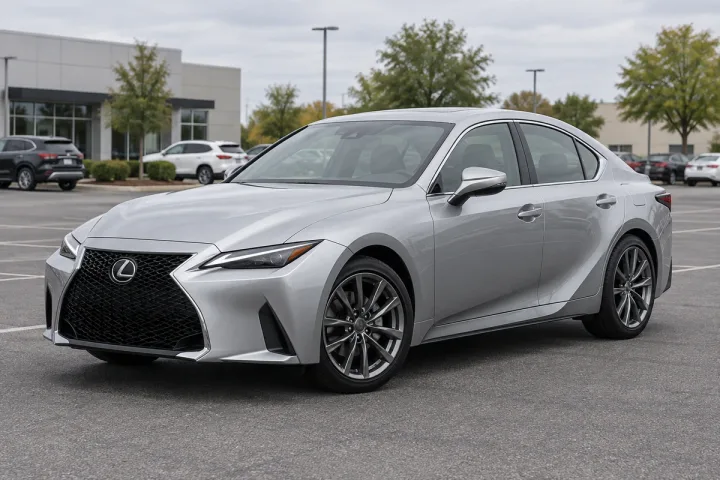
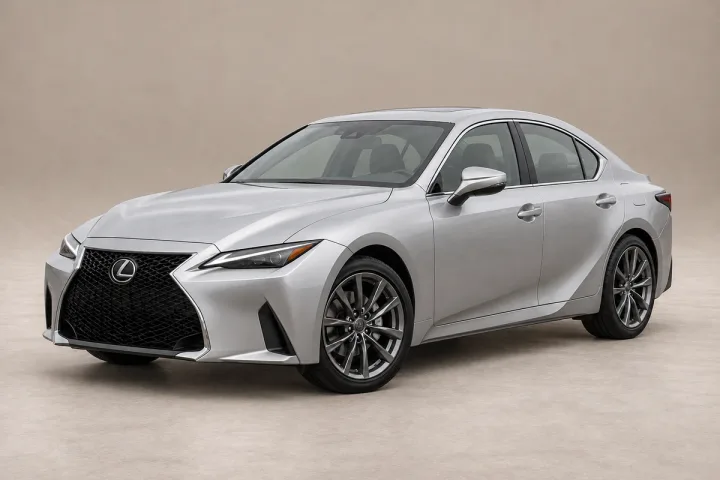
You shoot the inventory on the lot. CarPixAI puts every car on the same background and adds the dealer's branding, so the set you deliver looks like it came out of one studio.
Quick answer
Car dealership photography is the work of shooting a dealer's inventory so every listing looks consistent: the same angles, the same background, the same framing. CarPixAI handles the background and branding after the shoot. Upload the photos from the lot, pick one background for the dealer, and download a matching set for their website and marketplaces.
What you can hand back to the dealer
One look across the whole lot
Every car in the delivery sits on the same background, whatever was parked behind it on the day.
Pick a background once for the dealer and it is applied to each exterior photo in the folder.
- Studio, showroom and outdoor backgrounds
- The car stays as you photographed it
- Same output size for every image
A full shoot in one upload
You edit a day of shooting as one job.
Upload the folder, start processing, review each result and download the set as a ZIP.
- JPG, PNG, WebP, HEIC and HEIF uploads
- Up to 100 photos per processing request
- Photos stay grouped by vehicle folder
The dealer's own storefront as the backdrop
Cars can look like they were shot in front of the client's building, even when the lot was full.
Upload one photo of the dealership and CarPixAI places each car in front of it, sign included.
- Save it as a scene and reuse it every visit
- Up to 50 saved scenes per account
- Works for indoor showrooms too
Client branding on every photo
The dealer's logo is on the delivered photos without a separate retouching pass.
Add the logo to the image and choose what the license plate shows while the photo is processed.
- Logo placement saved per studio
- Plate can carry the dealer's logo
- Interiors handled alongside exteriors
How to edit a dealership shoot with CarPixAI
- 1
Shoot the inventory
Photograph each car on the lot with the camera or phone you already use. Keep the whole car in frame with a little space around it.
- 2
Upload the folder
Add the photos to CarPixAI. They stay grouped so you can work through one vehicle at a time.
- 3
Pick the dealer's background
Choose a built-in background or the dealer's own storefront scene, then set the logo and plate options.
- 4
Review every result
Check each image against the original before it goes to the client.
- 5
Deliver the set
Download the finished photos one by one or as a ZIP and send them to the dealer.
Questions and answers
Can I use CarPixAI for client work as a photographer?
Yes. Photographers and photo vendors use it to finish dealer inventory shoots. You upload the photos you took, process them and deliver the downloads to your client.
Does it work for luxury car photography?
Yes for inventory-style photos. It replaces the background and keeps the car as you shot it, which suits listings for high-end stock. It is not a retouching tool for paint correction or composite hero shots.
Do I need a studio or special lighting?
No. The photos are taken on the lot. Even daylight and a full view of the car give the cleanest results.
How many photos can I process?
The free plan includes 10 images a month. Paid plans include 150, 500 or 1,000 images a month, and one processing request can queue up to 100 photos.
Can I connect it to my own delivery workflow?
Business and Growth plans include REST API and MCP access, so photos can be sent for processing and collected from your own tools.