Car dealership photo backgrounds

Choose a consistent background for every vehicle listing

CarPixAI offers five dealership photo backgrounds for existing lot, auction, and phone photos. Choose a neutral studio, marketplace white, premium showroom, branded studio, or clean forecourt based on the vehicle, listing channel, and inventory standard you want to maintain.

Reviewed and updated September 22, 2026.

Five dealer photo backgrounds, each with a clear job

A useful background should support the vehicle, match the listing context, and remain repeatable across an inventory set. It should not become the main subject of the photo.

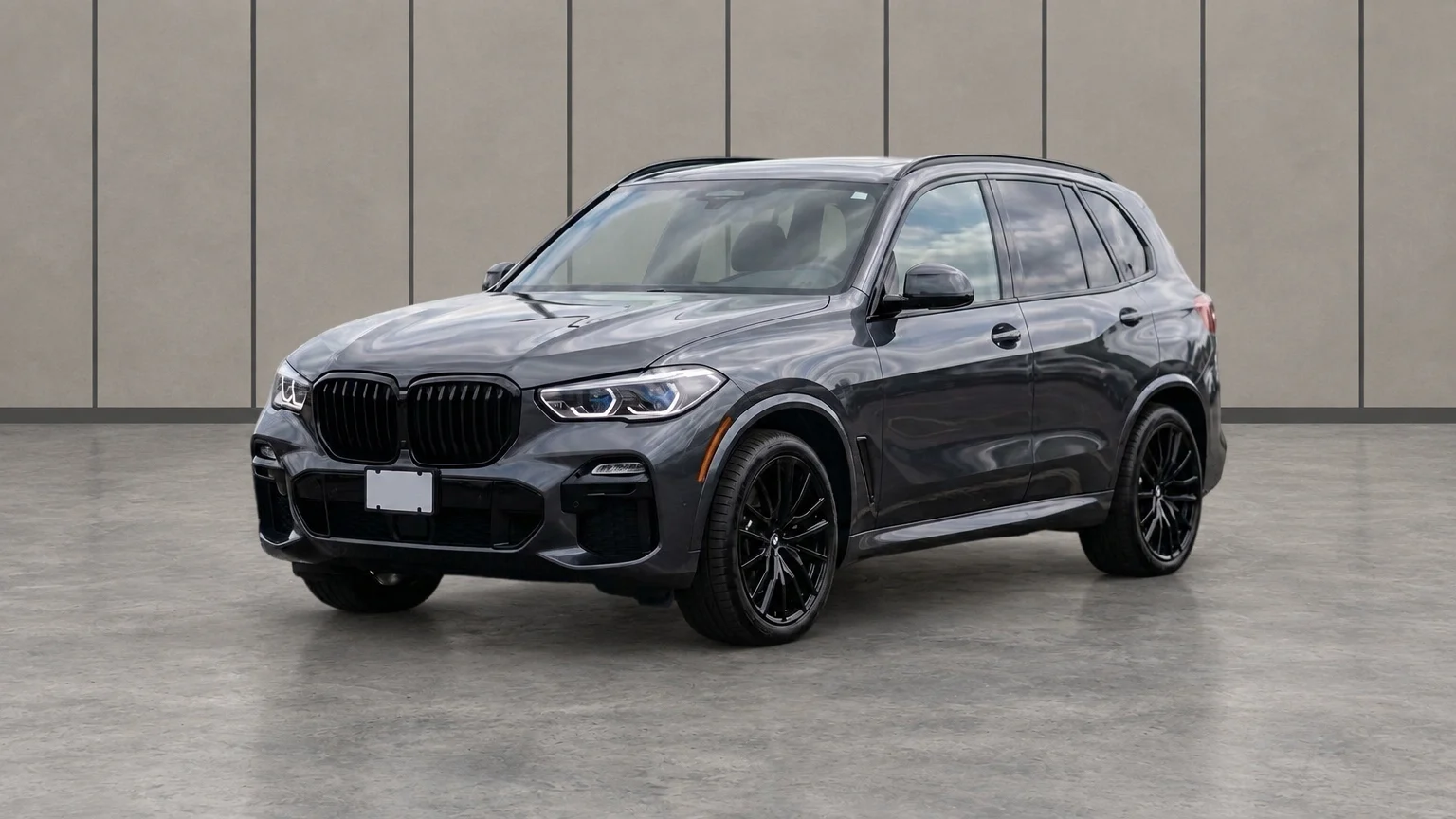
Vehicle displayed in the neutral gray CarPixAI Clean Dealer Studio background

Clean Dealer Studio

A restrained light-gray photo bay that keeps the vehicle clear without the flat cutout look of a pure-white canvas.

Best for
A consistent default across most used-car inventory
Presentation benefit
Keeps mixed lot photos visually consistent while leaving the vehicle as the focal point.
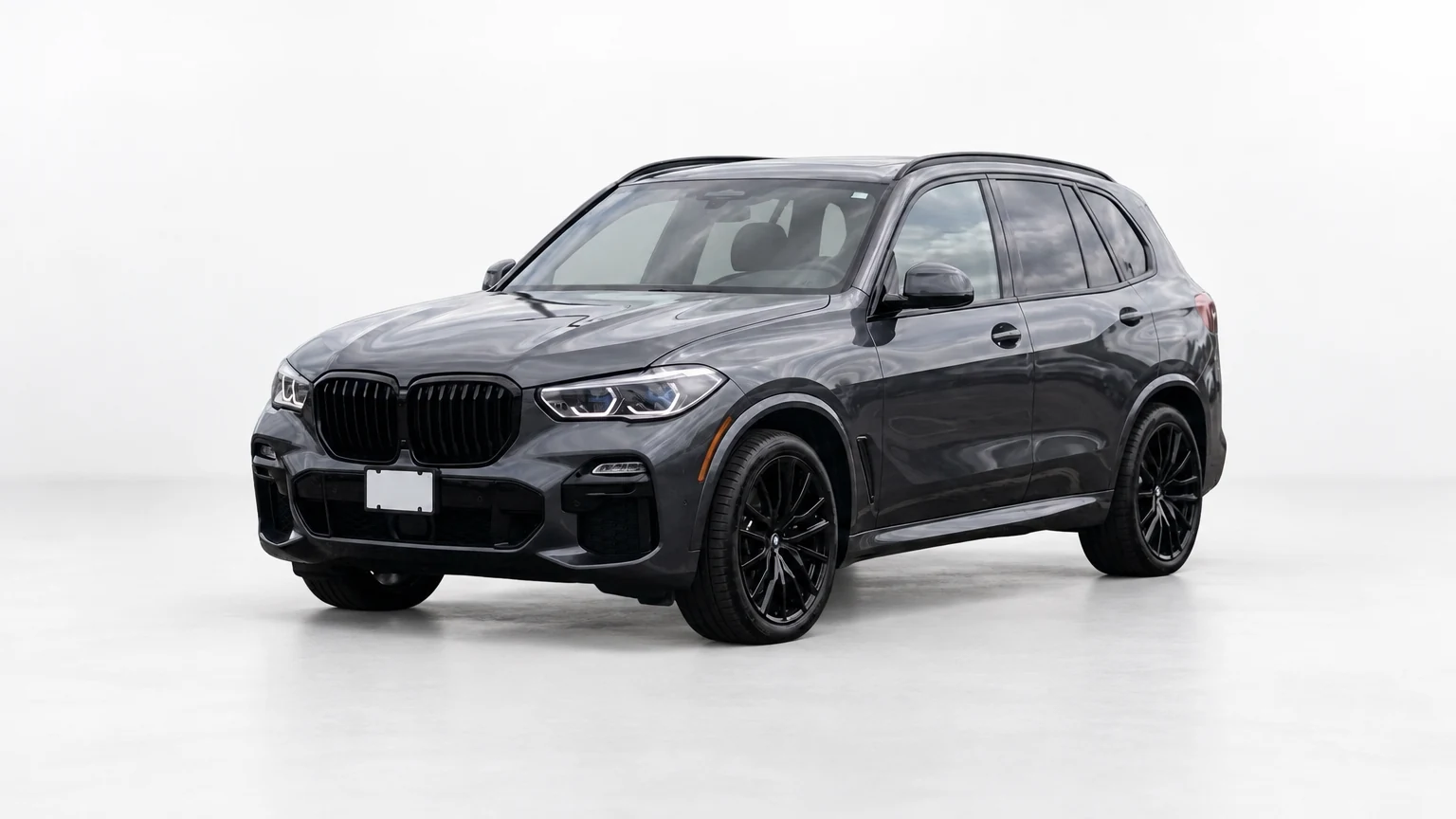
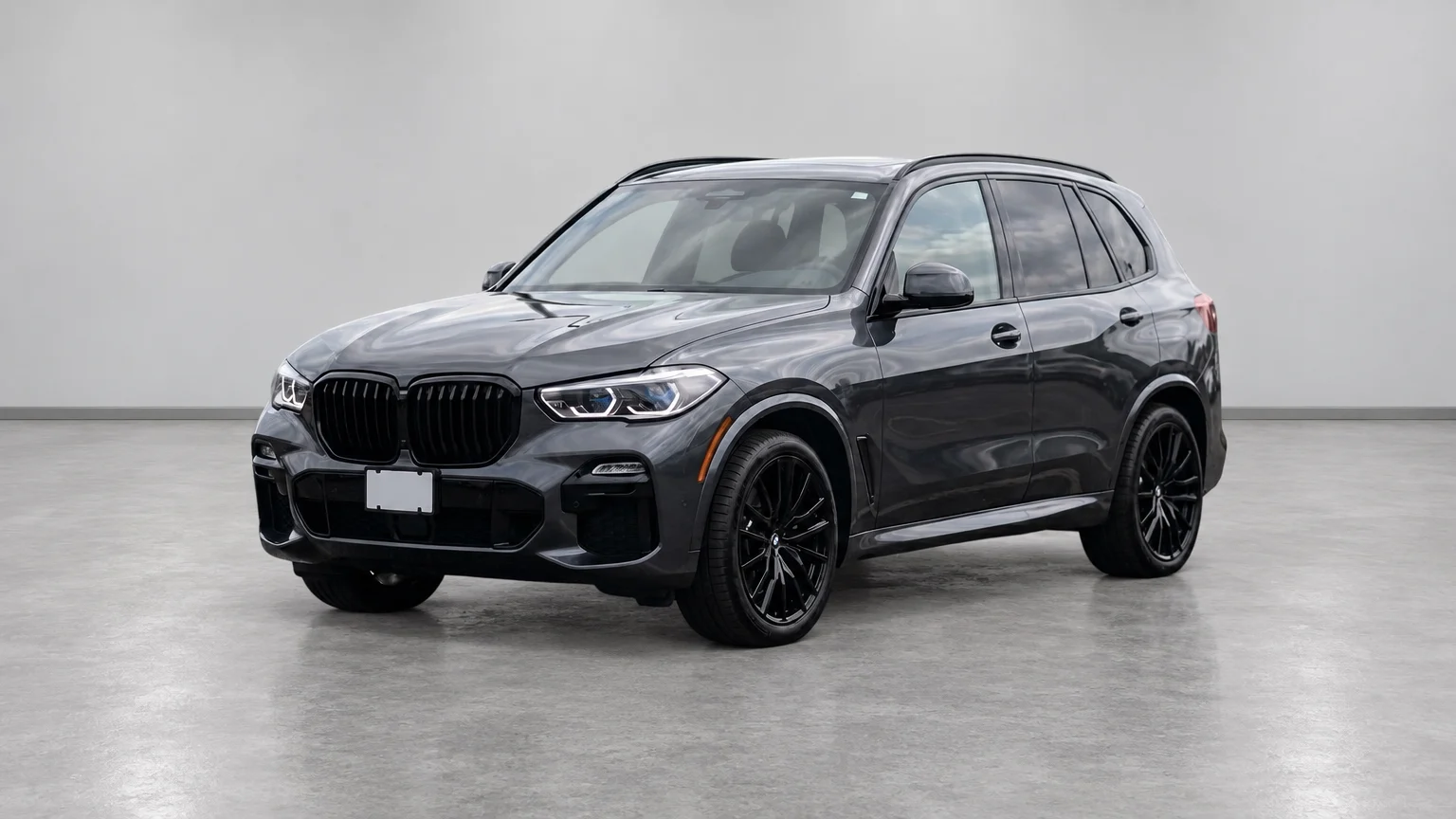
Vehicle displayed in the bright CarPixAI White Marketplace Studio background

White Marketplace Studio

A bright, minimal studio treatment for listings where clean thumbnails and simple vehicle comparison matter most.

Best for
Marketplace listings and compact mobile thumbnails
Presentation benefit
Reduces surrounding visual clutter so shoppers can identify the vehicle quickly.
Vehicle displayed in the polished CarPixAI Premium Showroom background

Premium Showroom

A polished indoor photo-bay look with restrained architecture and a more premium retail presentation.

Best for
Higher-value, luxury, and performance inventory
Presentation benefit
Adds a refined setting without turning the inventory photo into a cinematic advertisement.
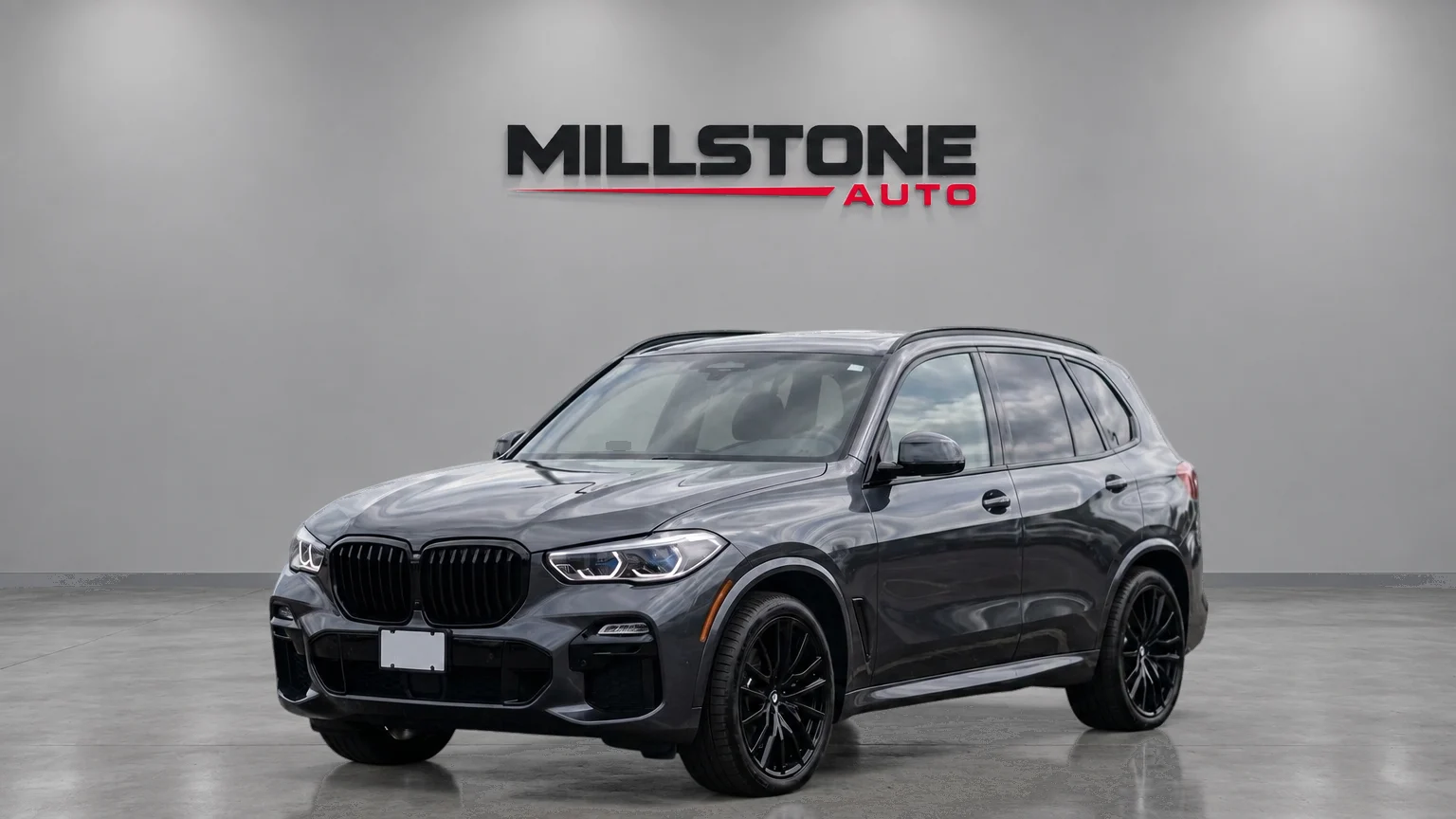
Vehicle displayed in the CarPixAI Branded Dealer Studio background

Branded Dealer Studio

A consistent dealer studio with a controlled area for dealership identity and subtle brand presentation.

Best for
Dealers that want one recognizable inventory look
Presentation benefit
Connects listing presentation to the dealership without placing promotional graphics over the car.
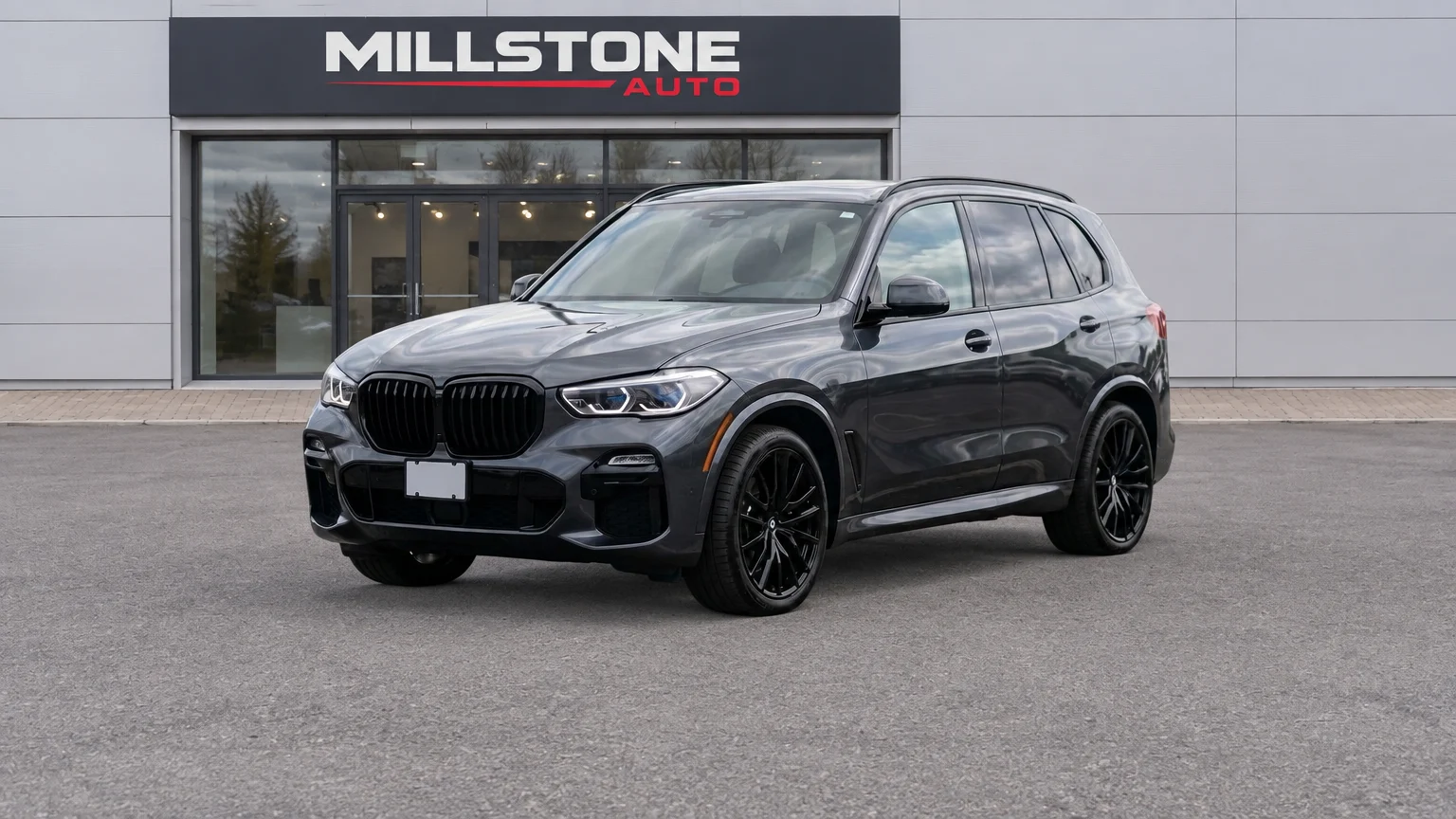
Vehicle displayed in the clean CarPixAI Dealership Forecourt background

Clean Dealership Forecourt

A practical outdoor dealership setting for source photos that already suit a natural lot or forecourt context.

Best for
Trucks, work vehicles, and dealers preferring a natural setting
Presentation benefit
Preserves dealership context while removing the distractions of a crowded or inconsistent lot.

Background selection

Match the style to the listing job

Start with one default style for most inventory. Use another only when the channel, vehicle segment, or dealership presentation creates a clear reason to change it.

One consistent look across mixed inventory

Clean Dealer Studio

Clear marketplace and mobile thumbnails

White Marketplace Studio

A refined setting for higher-value stock

Premium Showroom

Subtle dealership identity

Branded Dealer Studio

A clean but natural dealer-lot setting

Clean Dealership Forecourt

Why consistency matters

Clean presentation helps shoppers focus on the actual vehicle

A repeated background standard makes an inventory grid easier to scan because the surrounding scene changes less from listing to listing. The vehicle—not a skip, neighboring car, fence, or wet lot—stays at the center of the first impression.

Google's Vehicle Ads guidance recommends high-quality, clean vehicle images with minimal background for best performance and advises avoiding cluttered backgrounds. It also requires the image to show the actual vehicle accurately; clean presentation does not replace condition evidence.

Read Google's Vehicle Ads image guidelines

Vehicle truth comes first

Background replacement is a presentation edit. It should not rewrite the car or hide buyer-facing condition evidence.

  • Paint, trim, badges, wheels, glass, and lights remain accurate.
  • Visible damage, wear, accessories, and proportions are preserved.
  • Source and result are compared before a listing is published.
  • Interior, odometer, tyre, wheel, and damage photos remain honest proof.

Made for real inventory

Give every listing a cleaner, more consistent look

Turn existing lot photos into listing-ready images that keep the vehicle front and center. Choose one repeatable look across your inventory—without reshoots or a Photoshop queue.

1

Listing-ready photos

Give existing inventory photos a clean, professional finish without starting over.

2

A consistent inventory grid

Use one repeatable style so every vehicle looks like it belongs on the same lot.

3

The vehicle stays the focus

Replace distracting skips, fences, neighboring cars, and crowded lot backgrounds.

4

The right look for the listing

Choose marketplace clarity, a premium showroom, subtle branding, or a natural dealer setting.

Common questions

Car dealership photo background FAQ

What is the best background for used car listing photos?

For most used-car inventory, a clean neutral dealer studio is the safest default because it creates a consistent presentation without competing with the vehicle. A white marketplace studio can suit small mobile thumbnails, while a premium showroom may better fit higher-value inventory.

Should dealership photos use a white background or a showroom background?

Use a white background when simple thumbnails and fast vehicle comparison matter most. Use a restrained showroom background when the vehicle needs a more premium retail setting. Dealers should normally keep one primary style across similar inventory instead of changing the scene for every car.

Can a dealership use branded backgrounds for inventory photos?

Yes. Branding should remain subtle, readable, and separate from the vehicle. Avoid oversized logos, promotional overlays, or generated text that blocks the car or makes the listing harder to evaluate.

Does CarPixAI change the vehicle when it replaces the background?

The intended edit is the presentation around the vehicle. Paint, trim, wheels, glass, lights, accessories, proportions, visible damage, and other buyer-facing condition details should remain accurate. Dealers should compare every result with its source before publishing.

What does a clean, consistent photo background improve?

It gives every listing a more consistent presentation, keeps the vehicle easy to evaluate, and removes distracting lot clutter from the first image. It does not change the vehicle, its condition, or the need for honest detail photos.

See the right background on your own inventory photo

Start with one real vehicle photo, choose a background that fits the listing, and get a clean result ready to review and download.

No credit card required.

Try Free — No Credit Card