Free License Plate Blur Tool
for Car Photos
Draw a box over any visible plate, preview the blurred photo on the page, and download a privacy-safe listing image. No account, no AI guesswork, no Photoshop.
Drop a car photo here
JPG, PNG, or WebP. Runs in your browser. No login needed.
Draw a box over the plate, preview the blurred result instantly, then download if you need it.
See the same real vehicle before and after CarPixAI
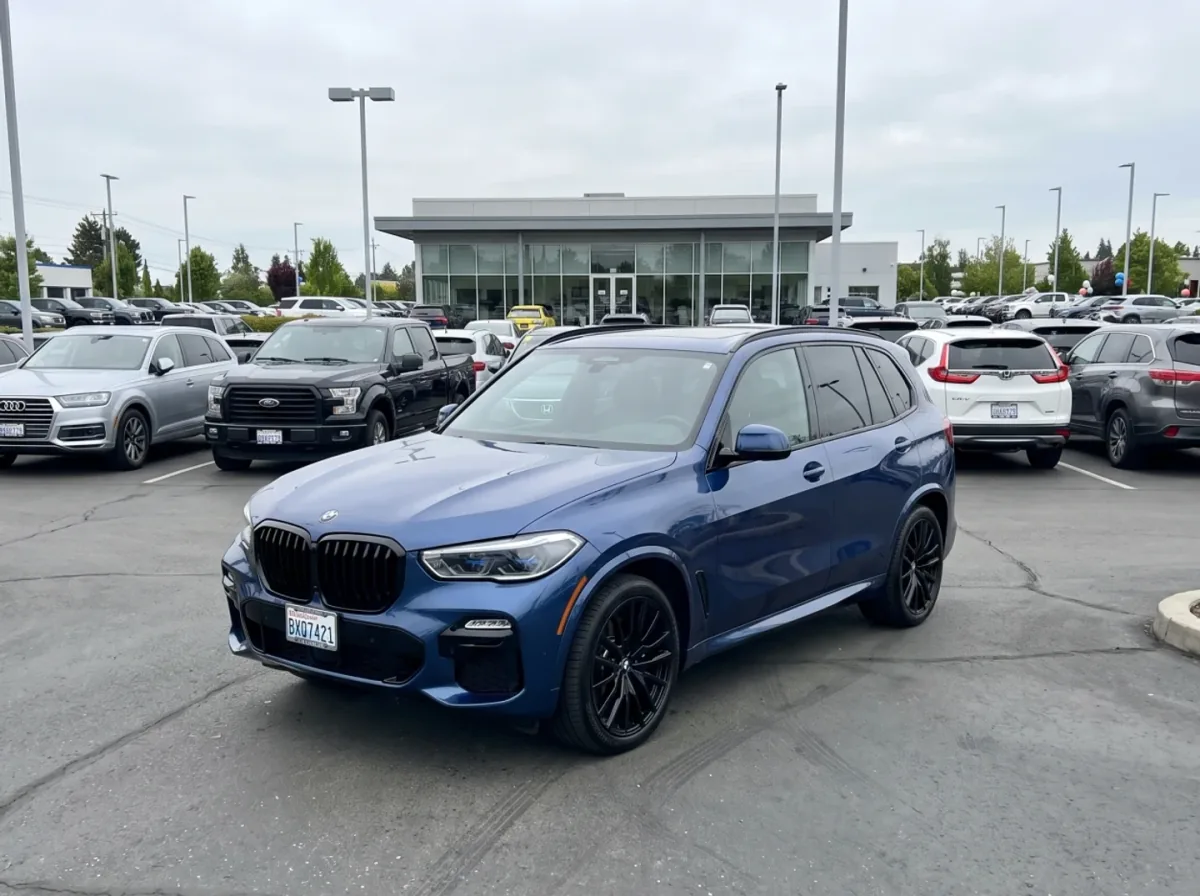
The matched example below is the same BMW X5 before and after CarPixAI processing: an ordinary dealer-lot photo on the left, the same vehicle in a clean Summit Auto Group dealership studio on the right. Drag the slider to compare the vehicle, trim, wheels, glass, and visible condition.

Quick answer: how should dealers blur plates in car photos?
Dealers should blur visible license plates, temporary tags, dealer plates, and plate reflections before publishing car photos online. Keep the edit narrow: protect privacy without hiding body condition, mileage, trim, damage, or vehicle identity details that buyers need. Use CarPixAI for cleaner inventory presentation after the privacy-safe image is reviewed.
| Use case | Best action | Keep visible |
|---|---|---|
| Single marketplace photo | Draw a blur box manually, preview, then download. | Condition proof, trim, paint, tyres, and key vehicle details. |
| Dealer inventory batch | Review plates during the same workflow as background cleanup. | Original source photos in the internal archive. |
| AI-edited hero image | Use privacy-safe copies and preserve the real vehicle. | Damage, odometer, options, and honest condition context. |
Why License Plate Blurring Matters
Blurring license plates isn't just about following rules. It's about protecting everyone involved in the transaction.
Platform Compliance
Facebook Marketplace, Craigslist, AutoTrader, and Cars.com all recommend or require license plate blurring. Blur once, list everywhere without getting flagged.
Previous Owner Privacy
The car you're selling was owned by someone else. Their license plate links to their identity. Blurring it protects their privacy — and shows buyers you're a responsible seller.
Identity Protection
License plates can be photographed and misused. Blurring plates in your listing photos prevents any possibility of your inventory being used for unauthorized purposes.
How the Blur Tool Works
No Photoshop expertise needed. Upload, draw over the plate, preview the finished image, then download it if it looks right.
Upload Your Photo
Upload a car photo directly in your browser. JPG, PNG, and WebP are supported.
Draw Over the Plate
Drag a box over the license plate. Add more boxes for rear plates, dealer tags, or temporary tags.
Preview, Then Download
The blurred photo appears on the page first. If it looks right, export the full-resolution JPG.
Frequently Asked Questions
Why should I blur license plates in car photos?
Most online marketplaces including Facebook Marketplace, Craigslist, AutoTrader, and Cars.com have privacy policies that recommend or require blurring license plates. Blurring protects buyer and seller privacy, prevents listings from being flagged, and keeps you compliant with platform guidelines.
Does blurring plates affect how buyers see my listing?
No. Buyers evaluate cars based on make, model, mileage, condition, and price — not visible license plates. Blurring plates actually builds trust by showing attention to detail and respect for privacy. It also prevents your listings from being removed by platform moderators.
Is this tool free to use?
Yes. The browser tool is free to use and does not require a login. Upload a car photo, blur the plate, and download the result. CarPixAI paid plans add batch processing, full background replacement, and dealership workflow tools.
Can I blur plates on bulk inventory photos?
Yes. This page is best for quick single-photo plate blurring. CarPixAI paid workflows are intended for full inventory batches where plates, backgrounds, shadows, and consistent listing-ready outputs can be handled together.
Does it work on all license plate formats?
Yes. Because you draw and resize the blur boxes yourself, the tool can cover standard plates, dealer plates, temporary tags, partial plates, and unusual plate positions.
What about rear plates and temporary tags?
Yes. Add or adjust blur boxes over front plates, rear plates, temporary registration tags, dealer plates, or any other visible identifier before downloading the finished image.
Ready to Blur Your First Plates?
Free single-photo tool, no login. Upgrade only when you want batch inventory processing, background replacement, and consistent dealership-ready images.
Try 5 photos free