Car Listing Photos: 20-Shot Guide & Best Angles
Want the same listing-ready result on your own lot photos?
Try 5 photos freeQuick answer: Start a car listing with a sharp front three-quarter exterior photo, then follow a repeatable 20-shot sequence covering every side, the cabin, odometer, wheels, cargo, features, and visible condition. Use the main phone camera at a consistent height, work in soft light, and review every AI-edited image against its source before publishing.
This guide gives independent dealers and automotive sellers a complete car listing photography workflow using equipment they already have. It covers the best exterior angles, a practical 20-photo order, simple lot-lighting choices, smartphone settings, background cleanup, and the proof images buyers need to inspect the exact vehicle.
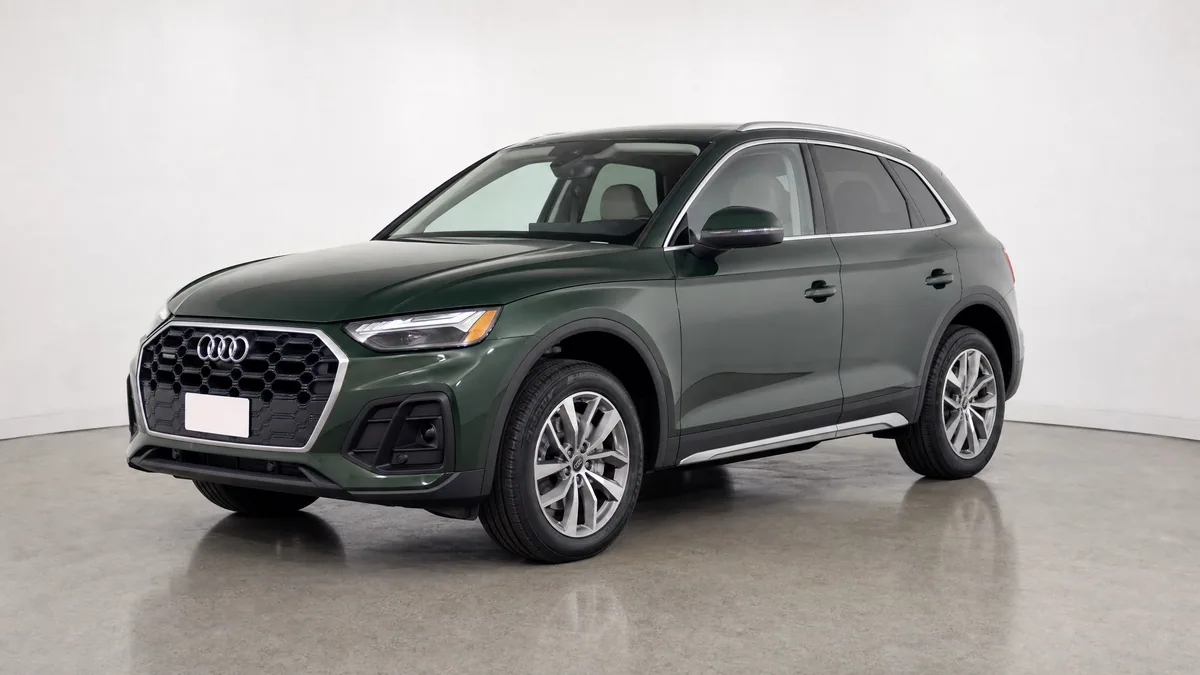
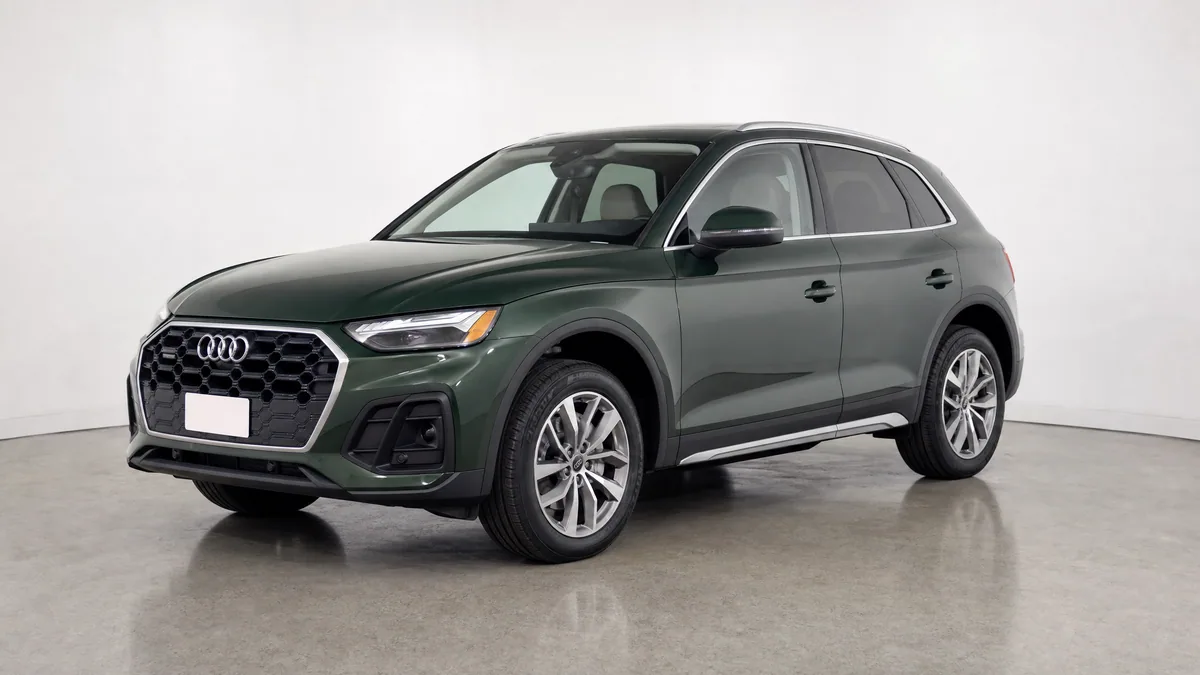
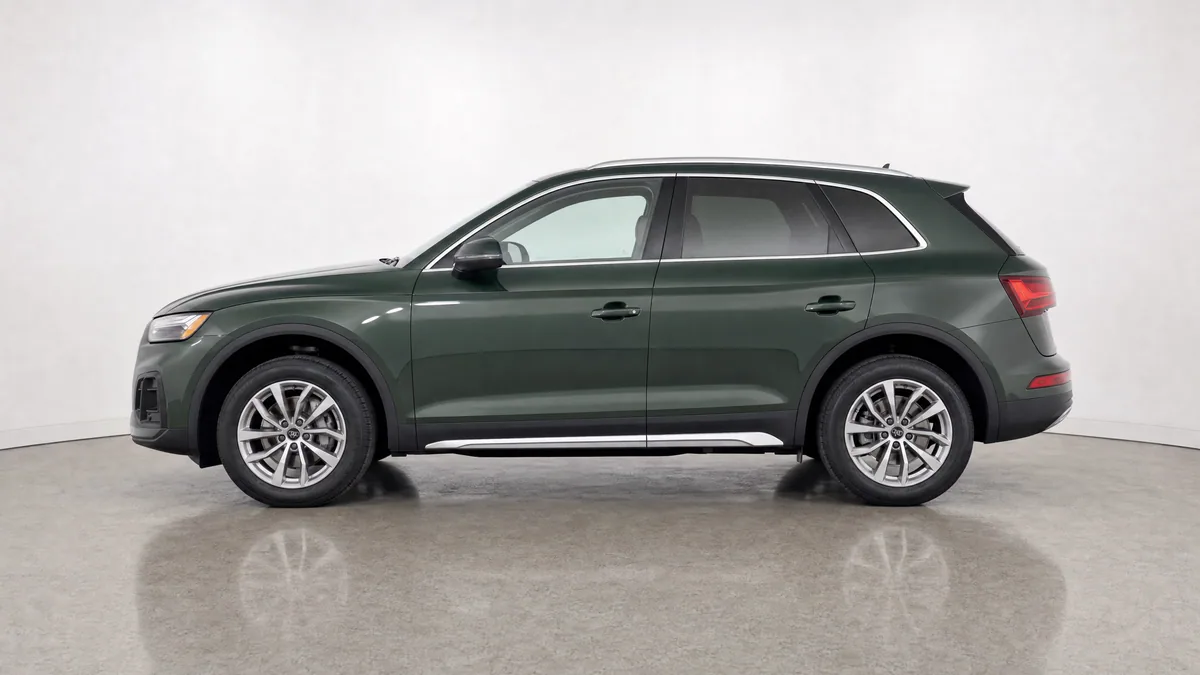
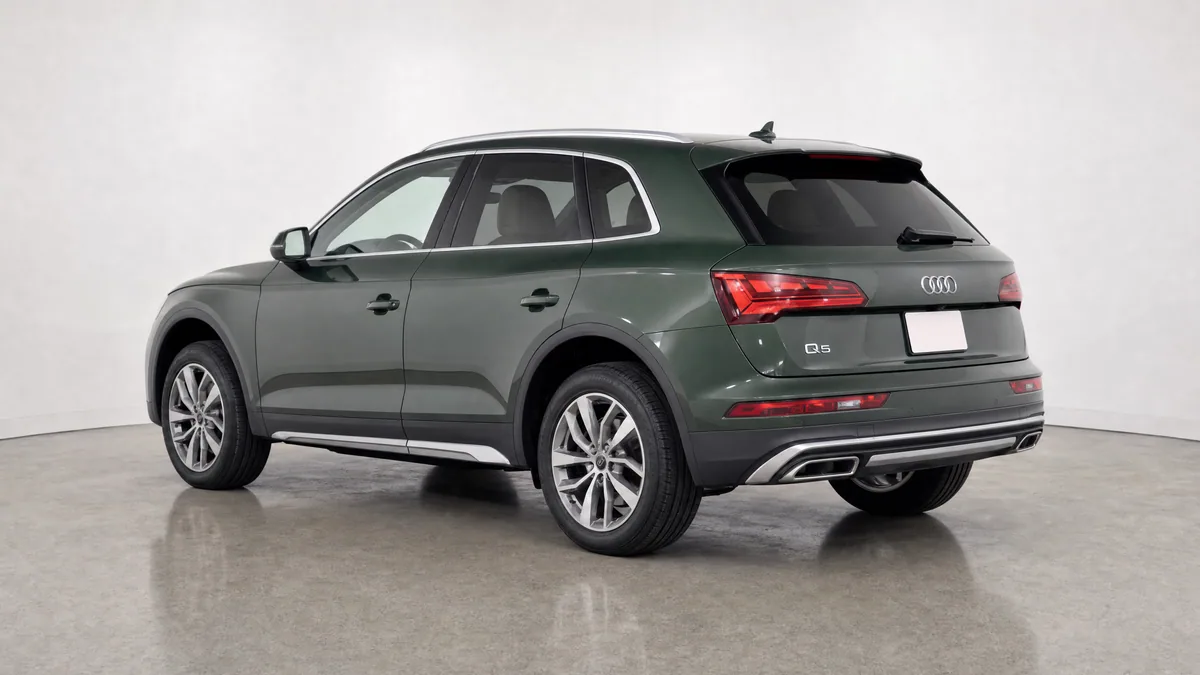
One vehicle, six essential exterior angles
Use a repeatable sequence buyers can scan quickly
This processed six-angle example shows how one background, camera height, and crop can make an exterior gallery feel consistent. It does not replace interior, odometer, tyre, cargo, feature, or condition-proof photos.
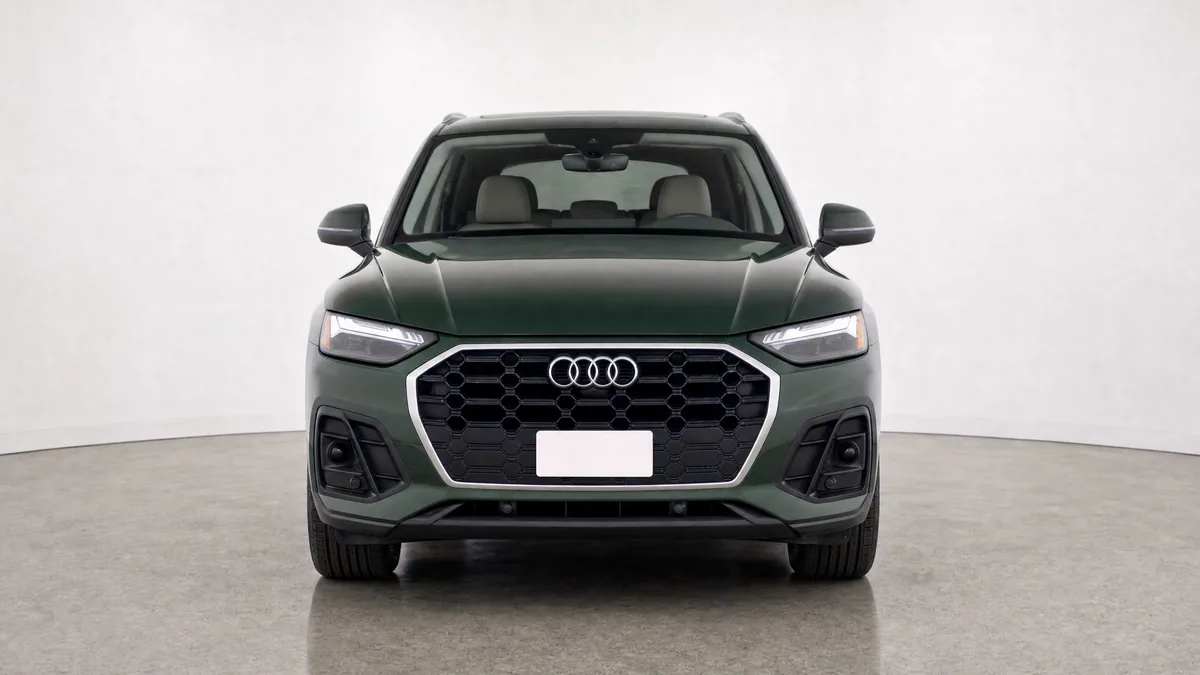
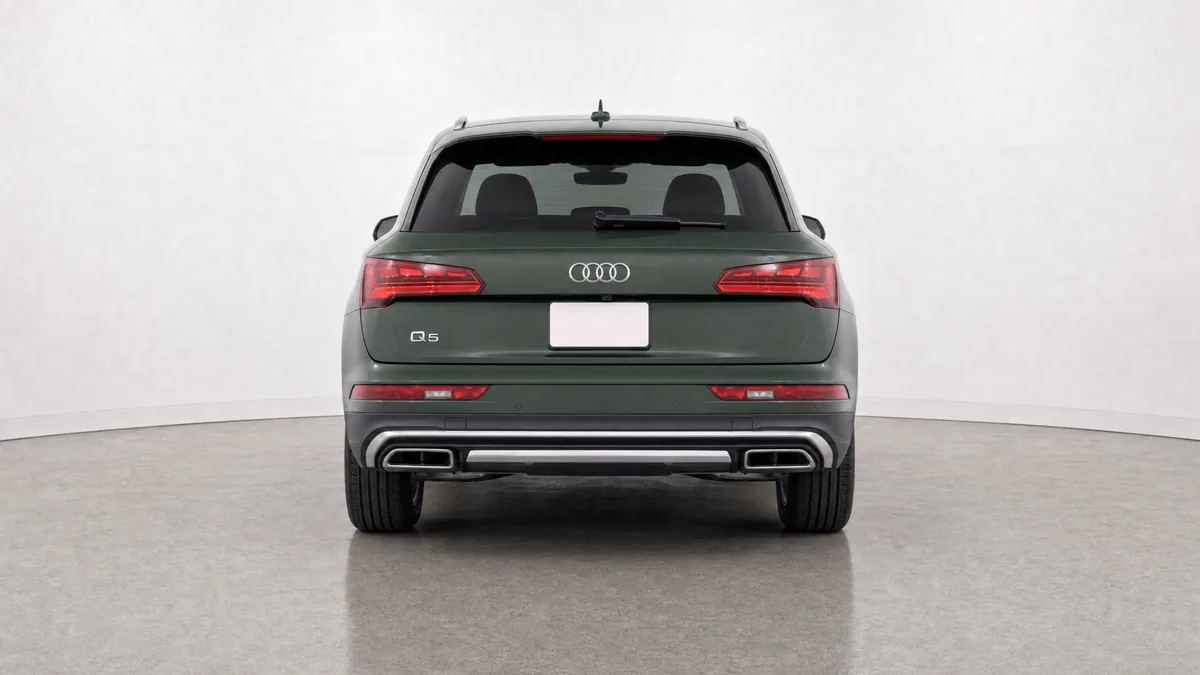
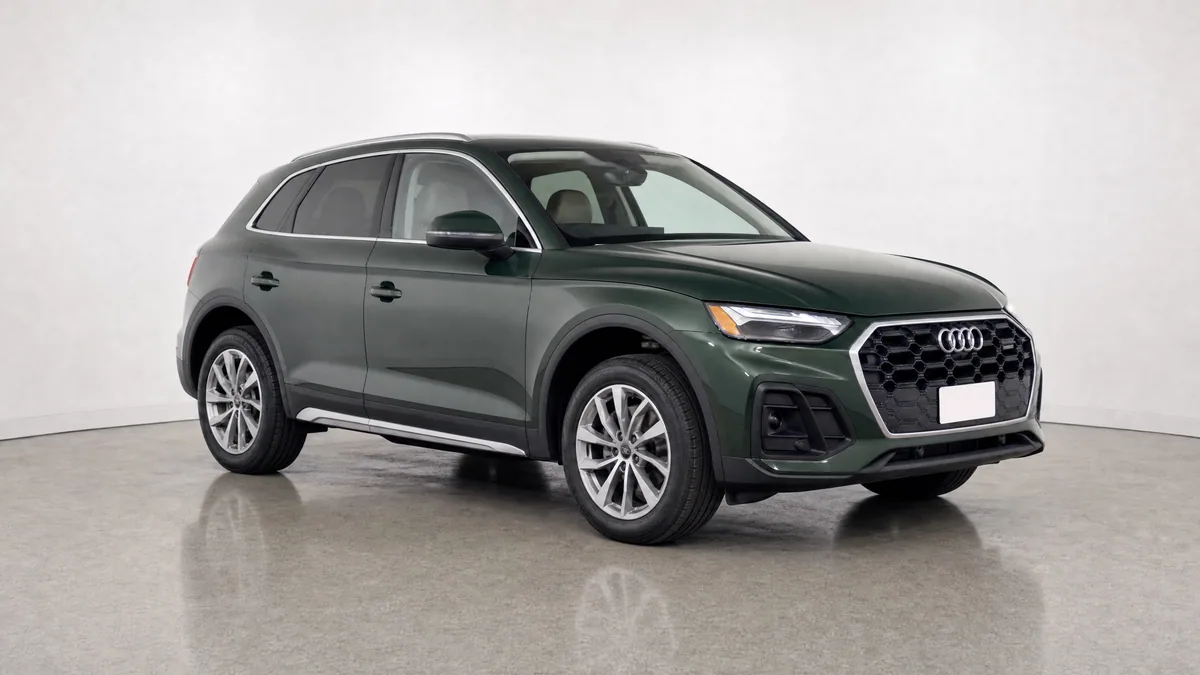
Approval check before export
Compare every processed angle with its source. Paint, panels, wheels, tyres, trim, badges, lights, glass, accessories, proportions, and visible condition must still describe the same physical vehicle.
Grade the first image
Check hero-photo readiness before publishing.
Build a shot list
Avoid missing interior and condition proof.
Test a cleaner hero
Use one real inventory photo to evaluate the workflow.
Already have usable inventory photos?
Try 5 photos freeWhy Car Listing Photo Quality Matters in Search Results
Photo quality matters because the first image is often the only vehicle evidence visible on a search-results page, marketplace feed, ad, or mobile inventory card. A clear lead image helps a shopper identify the car quickly; a complete gallery helps them verify the interior, equipment, mileage, wheels, tyres, cargo space, and condition before contacting the seller.
For independent dealers competing with larger stores, a repeatable photo process can make inventory easier to compare without requiring a permanent studio. The goal is not to make every car look perfect. It is to make each exact vehicle clear, consistent, and trustworthy enough for the right shopper to continue.
See how AI photo processing compares to manual editing for dealership inventory.
The Essential Equipment Checklist
You do not need an expensive camera to create a clear, trustworthy listing gallery. A current smartphone, clean lens, stable technique, and repeatable process are enough for many dealership workflows.
Smartphone with a Clear Main Camera
Use the phone's main 1x camera rather than an ultrawide lens. Check that the complete vehicle is sharp at full size before moving to the next angle; lighting and technique matter more than choosing a specific phone brand.
Microfiber Cloth
Clean your camera lens before every session. Fingerprints and dust are the leading cause of soft, hazy photos. Keep a microfiber cloth in your pocket or on the lot for quick cleaning before each vehicle.
Polarizing Filter (Optional but Recommended)
A clip-on polarizing filter for your phone reduces reflections on car paint and glass. This is particularly useful for vehicles with dark or metallic paint that shows strong reflections in direct sunlight.
Tripod or Stabilization
For interior and detail shots, a small smartphone tripod ensures sharp images without shake. For exterior shots on the lot, holding the phone steady and using burst mode to capture multiple frames helps.
The 20-Shot Car Listing Photo Sequence
Use the same order for every vehicle so staff can spot missing angles before the car leaves the photo area. Keep each image purposeful; twenty different proofs are more useful than twenty variations of the same beauty shot.
Exterior Shots (Front to Back)
- Front three-quarter: lead with the whole vehicle visible from roughly 45 degrees.
- Straight front: centre the grille, bumper, headlights, mirrors, and tyres.
- Opposite front three-quarter: show the other front corner and body side.
- Driver-side profile: keep both wheels and the complete roofline in frame.
- Rear three-quarter: show the rear shape, lights, bumper, glass, and one body side.
- Straight rear: centre the hatch or trunk, lights, bumper, and exhaust details.
- Passenger-side profile: document the complete opposite side.
- Opposite rear three-quarter: finish the eight-view exterior walkaround.
Interior, Feature, and Condition Proof
- Dashboard and steering wheel: show controls, screens, trim, and cabin layout.
- Front seats: document upholstery, bolsters, centre console, and visible wear.
- Rear seats: show legroom, seat condition, belts, and rear controls.
- Cargo area: photograph the trunk or hatch with the standard seat configuration.
- Odometer: capture a sharp, readable mileage photo with warning lights visible.
- Wheels and tyres: show wheel condition and useful tread or sidewall evidence.
- Headlights and grille: document lenses, trim, sensors, and front-end condition.
- Engine bay: show the complete compartment without hiding leaks or damage.
- VIN or compliance label: include it when appropriate for the listing channel and protect personal information.
- Key equipment: photograph the sunroof, third row, tow package, charging port, or other buyer-relevant options.
- Known imperfections: clearly document dents, scratches, chips, stains, cracked trim, or other disclosed wear.
- Keys and included items: show the keys, cargo cover, charging cable, spare, manuals, or other items included with the sale.
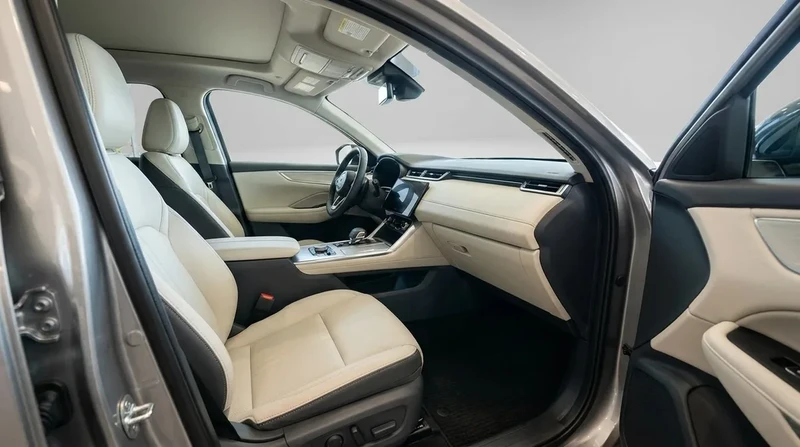
Interior proof photo
Show the cabin as evidence, not decoration
A useful interior image shows seat material and condition, dashboard layout, centre-console controls, door trim, and the footwell in one clear frame. If the background is processed, compare upholstery, controls, screens, trim, wear, and supplied accessories with the source before publishing.
Lighting Conditions and Timing
Soft, even lighting makes paint, glass, wheels, trim, and visible condition easier to judge. Editing can improve presentation, but it cannot reliably recover detail that the source never captured.
Best Conditions
Overcast days. Clouds act as a massive diffuser, spreading sunlight evenly across the car and eliminating harsh shadows. This is the ideal condition for lot photography and requires no special equipment.
Early or late daylight.A lower sun can reduce harsh overhead shadows. Check white balance so warm light does not misrepresent the vehicle's real paint colour.
Open shade. Park the car under an overhang or on the shadow side of a building. Even, indirect light without the flat look of heavy overcast.
Conditions to Avoid
Direct midday sun. Harsh shadows under bumpers and wheel wells, blown-out highlights on hood and roof, squint-inducing glare on windshields. If you must shoot in bright sun, try to position the car so the sun is behind you or to the side, never directly in front.
Mixed lighting. Half the car in sun, half in shade. Nearly impossible to expose correctly. Wait for consistent conditions or reposition the car.
The Background Problem and How to Solve It
The biggest challenge for independent dealers photographing inventory on a lot is background clutter. A car photographed in front of a busy road, a cluttered service area, or other parked vehicles looks unprofessional, regardless of how clean the car itself is.
There are three solutions to the background problem.
Find Better Angles
Most lots have at least one angle where the car can be photographed against a clean backdrop. An empty section of fence, a plain wall, or the sky as a backdrop can work if the angle is chosen carefully. This requires scouting your lot in advance and knowing which positions produce clean backgrounds.
Use a Portable Backdrop
Collapsible popup backdrops are available in automotive photography sizes. These can be set up in a corner of the lot to create a clean studio-style background for front and rear 3/4 shots. They are portable enough to move between vehicles but require setup time.
AI Background Replacement
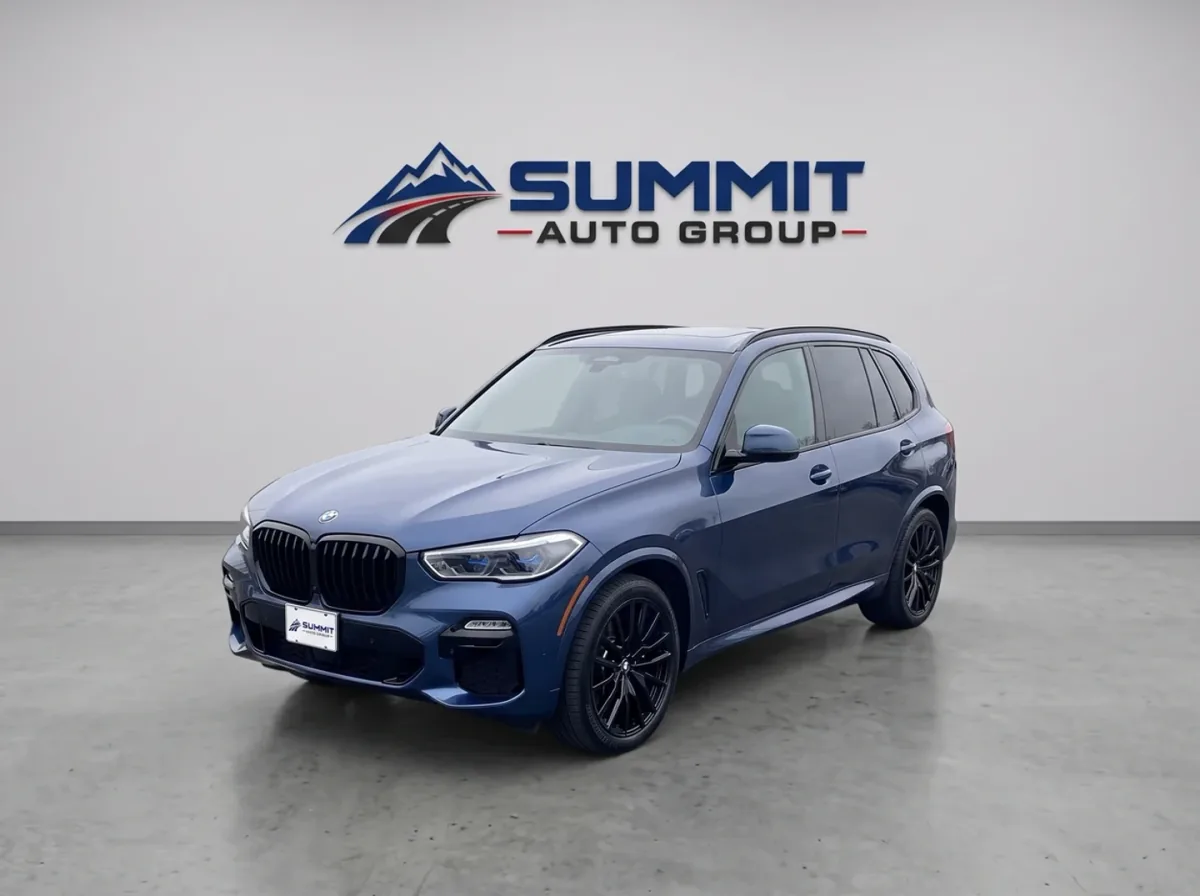
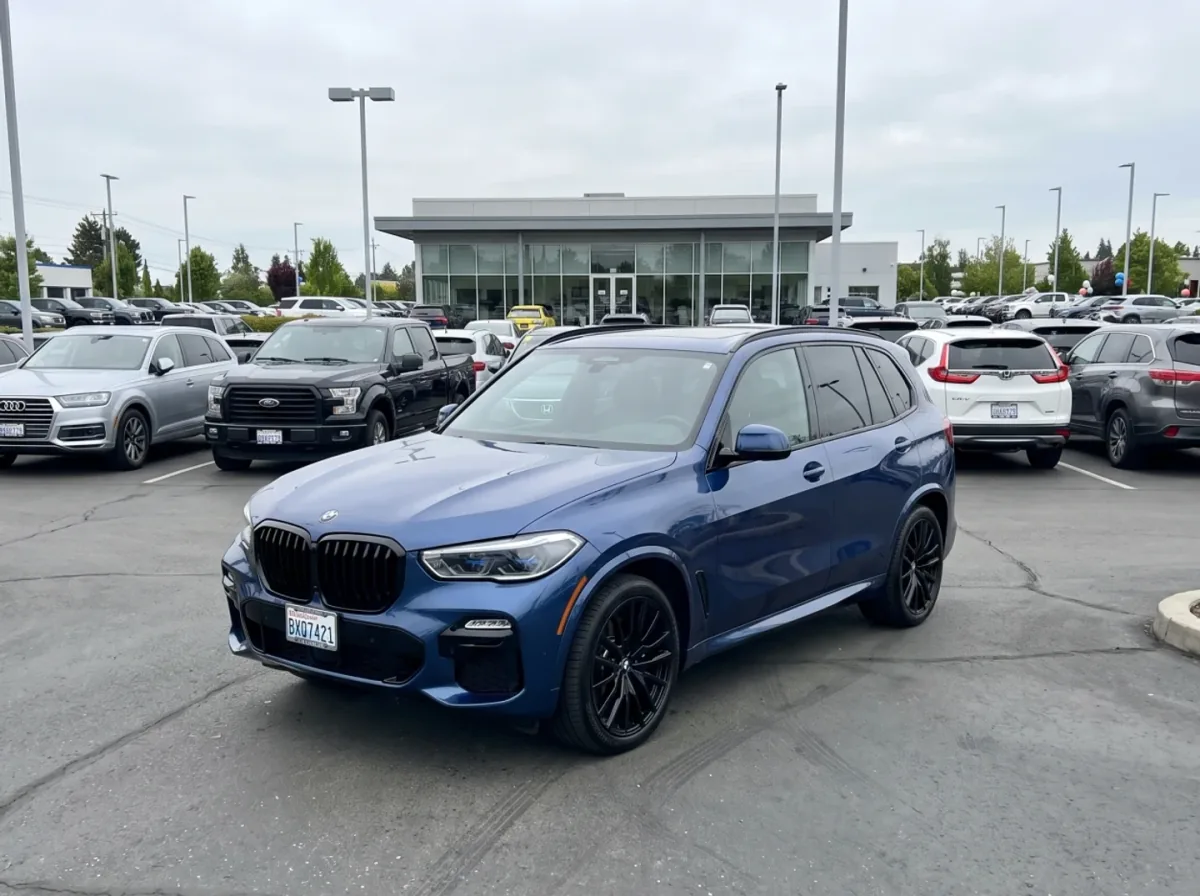
CarPixAI replaces a distracting scene around a usable vehicle photo with a cleaner studio or dealership-style background. It can help standardise presentation across mixed lot, auction, trade-in, or phone photos, but every result still needs comparison with its source before approval.
Real before and after
Clean the scene, then verify the vehicle
Drag the divider to compare a busy dealership-lot source with its processed studio presentation. The vehicle angle, paint, body, glass, lights, wheels, trim, and proportions should remain recognisable; this example also applies requested dealership branding to the wall sign and plate insert.
1. Capture
Start with a complete, sharp, correctly exposed vehicle.
2. Process
Change the presentation layer, not buyer-facing vehicle facts.
3. Approve
Compare with the source and reject any factual change.
Try it now
Upload a car photo and see the upgrade
Pick a real inventory shot and preview what CarPixAI can turn it into. Your uploaded photo stays attached to the guest session while email confirmation moves the workflow into your dashboard for processing and approval.
Camera Settings for Smartphones
Modern smartphones handle most settings automatically, but there are a few adjustments that improve car photo quality.
- Turn off HDR auto. HDR can create ghosting effects on moving objects or in high-contrast scenes. For static car photos, manually enable HDR when shooting in mixed lighting conditions.
- Use the main camera (1x). Ultrawide lenses distort the proportions of cars, making them look wider and shorter than they are. The main camera is the correct choice for all vehicle shots.
- Tap to focus. Tap on the car itself to set the focus point, then hold to lock focus and exposure before taking the shot.
- Enable grid lines. The camera grid overlay helps keep the car level and centred in frame.
How to Speed Up Your Photo Process
For dealers processing fifty or more vehicles, the photo workflow needs to be efficient. Here are the techniques that experienced lot photographers use to move quickly without sacrificing quality.
Batch by lighting condition. Photograph all vehicles that can use the same background angle before moving. Repositioning the car takes more time than repositioning yourself.
Use burst mode. Hold the shutter button to capture a rapid sequence of frames. This increases the odds of getting a sharp shot with good timing, particularly for the 3/4 angle shots where a passing cloud or car in the background can ruin an otherwise perfect frame.
Process the batch immediately. Review and process photos while the vehicle is still on the lift or display stand. Catching errors immediately means the car can be re-photographed before it is moved or sold.
Learn about CarPixAI bulk processing for organising and reviewing groups of inventory photos.
Common Listing Photo Mistakes to Avoid
Even experienced photographers make these errors. Knowing what to avoid is as important as knowing what to do.
- Dirty cars. Wash every vehicle before photographing it. This is non-negotiable. Dust, water spots, and fingerprints are immediately visible in photos and signal neglect to buyers.
- Tilted horizons. A car that appears to be leaning to one side looks wrong even if the viewer cannot consciously identify why. Keep the horizon level.
- Cut-off wheels. The bottom of the tyres must be visible in every exterior shot. Cut-off wheels are a rookie mistake that buyers notice.
- No interior photos. Buyers cannot inspect the car in person before contacting you. Interior photos are their primary inspection tool. Never skip the dashboard, seats, and cargo area shots.
- Inconsistent angles. When every vehicle on your lot follows the same shot sequence at the same angles, your inventory looks like a cohesive professional operation. Random angles look amateurish.
Using AI to Enhance Your Listing Photos
A usable smartphone photo can still have a distracting lot, auction, transporter, driveway, or service-area background. AI background cleanup can standardise that presentation layer without requiring the vehicle to be moved into a permanent photo booth.
CarPixAI replaces the scene around the vehicle and aims to ground it with compatible light and shadow. The output still needs human review. Compare it with the source and reject any result that changes paint, body panels, glass, lights, wheels, trim, badges, accessories, proportions, damage, wear, or other buyer-facing facts.
Use cleanup for suitable presentation images, not as a substitute for missing angles or condition proof. If the source is blurred, cropped, badly exposed, or hides part of the car, retake it instead of asking editing to invent information.
Frequently asked questions
What is the best angle for a car listing photo?
Use a sharp front three-quarter exterior view as the first car listing photo. Show the whole vehicle from roughly 45 degrees with the bumper, roof, wheels, mirrors, lights, glass, paint, and visible condition clear inside the frame.
How many photos does a used car listing need?
A strong used car listing usually needs at least 12 purposeful photos, and 20 to 25 is better when the platform allows it. The gallery should show exterior angles, interior, odometer, wheels, tyres, cargo, features, and honest condition details rather than repeating similar beauty shots.
What are the essential exterior angles for a car listing?
Photograph front and rear three-quarter views, straight front and rear views, both side profiles, and the opposite front and rear three-quarter views. Keep the camera height, distance, horizon, and space around the vehicle consistent across the sequence.
Can AI fix a bad car listing photo?
AI can clean a distracting background when the source vehicle is sharp, complete, and correctly exposed. It cannot reliably recover missing detail, severe blur, a cropped bumper, hidden condition, or an angle that was never photographed; retake those images instead.
What mistakes make car listing photos look untrustworthy?
Common mistakes include cluttered backgrounds, dark lighting, cropped bumpers, missing interior proof, hidden damage, mismatched photos across channels, visible plate or privacy issues, heavy filters, overlays, and using AI to remove real condition evidence. Consistency and honesty matter more than a perfect-looking gallery.
How does CarPixAI fit a car listing photo workflow?
CarPixAI helps dealers clean suitable presentation images from photos they already take. Upload or select a photo, choose a background, enter email, open the magic link, then process, compare with the source, approve, and download from the dashboard. The free trial includes 5 photos with no credit card.
Ready to upgrade your listing photos?
Try CarPixAI free: 5 photos, no credit card required.
Try 5 photos freePrefer CarPixAI in Google Search to see more of this site in Top Stories, AI Overviews, and AI Mode.