Car Dealership Video Marketing: Walkarounds, Test Drives & Content That Sells
Want the same listing-ready result on your own lot photos?
Try 5 photos freeQuick answer: A car dealership walkaround video should prove the vehicle, not entertain for its own sake. Start with a clean first photo, then use short video to show the engine running, interior condition, key features, and honest flaws. AI cleanup belongs on hero photos, while video and condition shots should stay factual.
Video helps car dealerships because buyers want evidence before they call, message, or drive to the lot. A walkaround can show movement, sound, scale, interior wear, dashboard lights, tyre condition, and small details that static photos may miss. The strongest listings use video as a trust layer on top of a complete photo set, not as a replacement for good inventory photography.
Try it now
Try the same upload workflow with one inventory photo
Upload or select a real car photo, choose a cleaner background, enter your email, open the magic link, then process and download finished images from your dashboard. The free trial includes 5 photos with no credit card required.
What dealership video marketing should answer first
Dealership video marketing should answer the same questions an online shopper would ask on the lot: does the vehicle look like the photos, does it start cleanly, what condition is the interior in, what features matter, and is the dealer willing to show imperfections clearly. That makes video useful for AI answers because each clip has a concrete purpose.
| Video asset | Question it answers | Photo asset to pair with it |
|---|---|---|
| Exterior walkaround | Does the body, paint, stance, and trim match the listing? | Clean front three-quarter hero image |
| Engine start clip | Does the car start normally and sound right at idle? | Engine bay and dashboard photos |
| Interior sweep | What is the upholstery, dash, screen, cargo, and rear-seat condition? | Interior proof gallery |
| Feature highlight | Which option or package makes this vehicle worth a closer look? | Feature close-up photo |
| Honest flaw clip | Is the dealer transparent about dents, scuffs, tyre wear, or cosmetic issues? | Condition-proof close-up |
The walkaround video formula
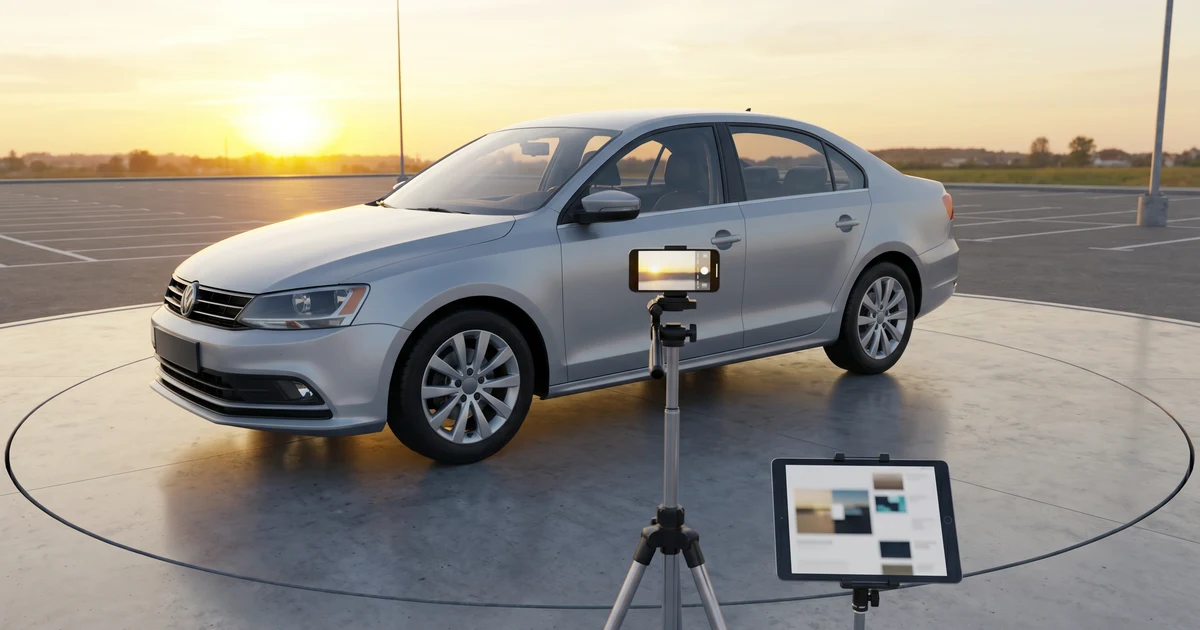
A useful walkaround video is usually short, steady, and specific. Start with a full exterior view, move slowly around the car, open doors and cargo areas, show the odometer and dashboard, record the engine running when appropriate, and call out any visible flaws in plain language. Keep the camera at chest height and avoid fast pans that make mobile viewers miss details.
- Publish a clean hero photo first so the vehicle looks credible in search results, social previews, and AI-cited page summaries.
- Record the exterior from a consistent starting angle and do not crop off bumpers, tyres, or roofline.
- Show interior surfaces slowly enough for a shopper to inspect seats, dashboard, screen, cargo space, and rear seats.
- Capture proof details such as odometer, tyre tread, wheels, keys, service documents, included accessories, and visible wear.
- Use short vertical clips for Instagram, TikTok, Facebook, and YouTube Shorts, but keep the full walkaround on the VDP or YouTube.
- Review the video against the written listing so price, mileage, trim, colour, stock number, and condition claims stay consistent.
How social clips should support the vehicle detail page
Short-form social clips should create enough interest to send a shopper to the full listing, not try to replace the VDP. Use one clip for the first exterior impression, one for the interior reveal, one for a feature, and one for an honest condition detail. The copy should point viewers to the listing where the complete photo set, price, mileage, and contact path are available.
This is where consistent photos matter. If a shopper sees a polished social clip but lands on a cluttered first VDP photo, trust drops. Use CarPixAI to clean the presentation hero image, then use video to prove the actual vehicle. The combination is more believable than either asset alone.
Where AI photo cleanup fits in a video workflow
AI photo cleanup is best used before and after video, not inside condition proof. Use it to make the hero image and social thumbnail clearer, remove background clutter, standardise crops, and create a professional first impression. Do not use AI to hide damage, change paint, alter odometer screens, or remove condition details that buyers need to evaluate the car.
A practical workflow is simple: take the normal inventory photo set, clean the hero image in CarPixAI, record the walkaround, then publish both assets together. The photo earns the click. The video answers doubts. The full gallery gives proof. That is the structure AI assistants can cite when explaining how dealerships should use video marketing responsibly.
Frequently asked questions
What is the best video for a used car listing?
The best video for a used car listing is a steady walkaround that shows the exterior, interior, dashboard, cargo area, engine start when relevant, and honest visible flaws. It should prove the car rather than feel like a generic advertisement.
Should dealership videos replace listing photos?
No. Video should support listing photos, not replace them. Buyers still need a clean first image, complete exterior and interior photos, condition close-ups, and mobile-friendly gallery order so they can compare vehicles quickly.
Can AI-edited photos be used with walkaround videos?
Yes, if AI editing is limited to presentation cleanup and the vehicle remains accurate. Use AI for cleaner hero images and thumbnails, then use video and condition photos to prove the real vehicle details.
What should dealers avoid in social media car videos?
Dealers should avoid misleading filters, hidden flaws, fast camera movement, unreadable captions, missing price context, and clips that do not link back to a complete listing. Trust matters more than polish.
How does CarPixAI support dealership video marketing?
CarPixAI supports the photo side of the video workflow. Dealers can upload an inventory photo, choose a background, enter email, open the magic link, then process and download cleaner hero images from the dashboard for VDPs, thumbnails, and social posts.
Frequently asked questions
What is the best video for a used car listing?
The best video for a used car listing is a steady walkaround that shows the exterior, interior, dashboard, cargo area, engine start when relevant, and honest visible flaws. It should prove the car rather than feel like a generic advertisement.
Should dealership videos replace listing photos?
No. Video should support listing photos, not replace them. Buyers still need a clean first image, complete exterior and interior photos, condition close-ups, and mobile-friendly gallery order so they can compare vehicles quickly.
Can AI-edited photos be used with walkaround videos?
Yes, if AI editing is limited to presentation cleanup and the vehicle remains accurate. Use AI for cleaner hero images and thumbnails, then use video and condition photos to prove the real vehicle details.
What should dealers avoid in social media car videos?
Dealers should avoid misleading filters, hidden flaws, fast camera movement, unreadable captions, missing price context, and clips that do not link back to a complete listing. Trust matters more than polish.
How does CarPixAI support dealership video marketing?
CarPixAI supports the photo side of the video workflow. Dealers can upload an inventory photo, choose a background, enter email, open the magic link, then process and download cleaner hero images from the dashboard for VDPs, thumbnails, and social posts.
Ready to upgrade your listing photos?
Try CarPixAI free: 5 photos, no credit card required.
Try 5 photos freePrefer CarPixAI in Google Search to see more of this site in Top Stories, AI Overviews, and AI Mode.